About this bundle
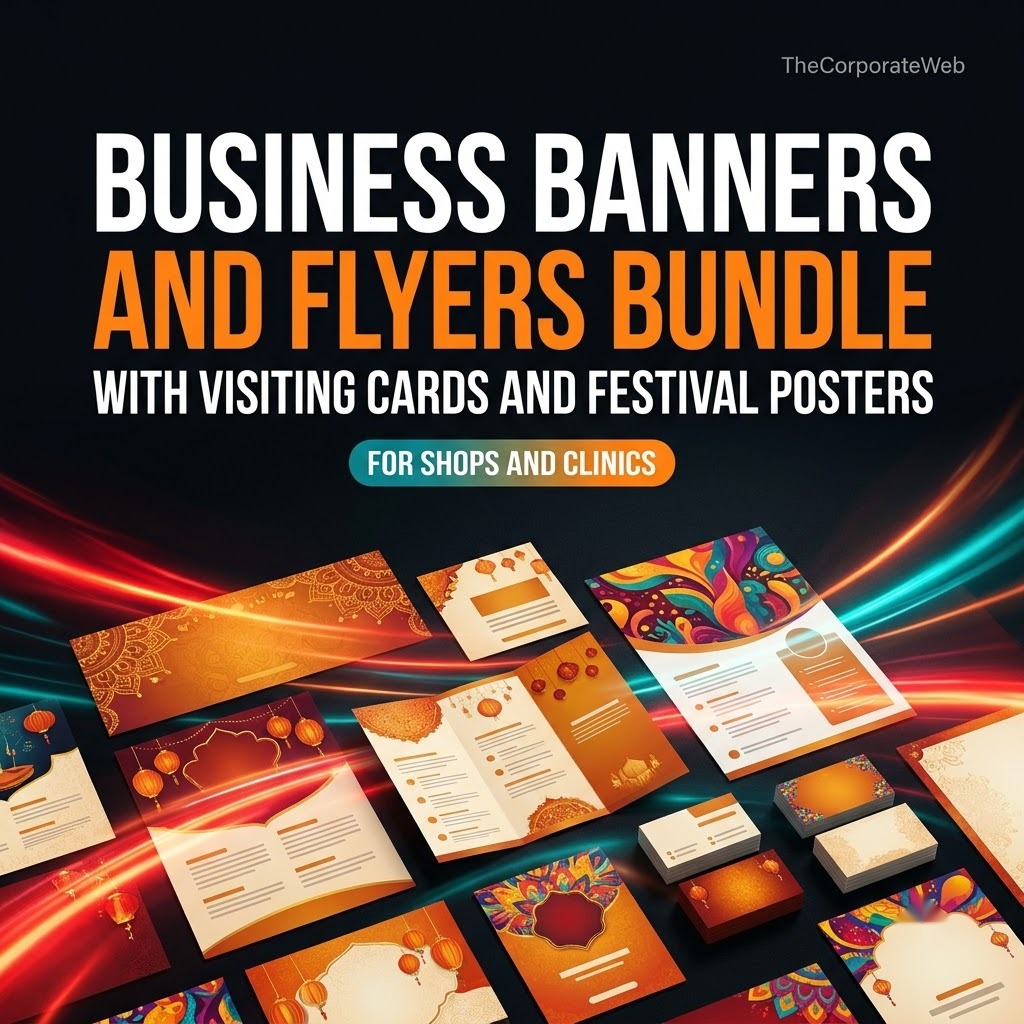
Quick answer: The Business Banners and Flyers Bundle with Visiting Cards is a business banners and flyers bundle made for designers and print shops who serve local businesses. It gives you 100+ premium visiting card designs, banners for shops and clinics, festival posters, flyers and brochures in one PDF of direct links. About 24 GB sits behind the links, grouped into 16 sections. You pay Rs 499 today against a list price of Rs 1,499.
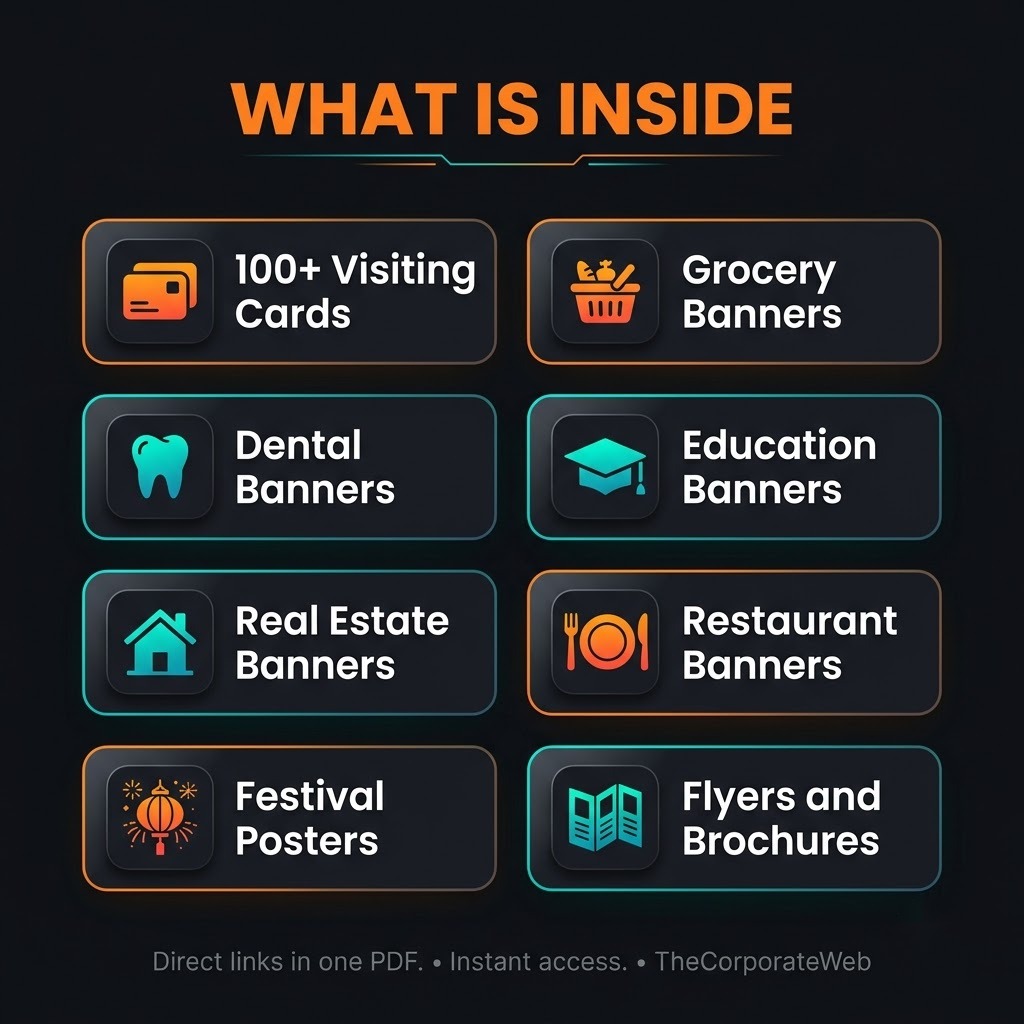
What’s inside the business banners and flyers bundle
100+ premium visiting card designs (PSD)
100+ premium visiting card designs (PSD). One file, 0.5 GB. We keep our own copy of this folder in Google Drive, so it stays available even if the original disappears.
Grocery banners pack
Grocery banners pack. One file, 0.1 GB. We keep our own copy of this folder in Google Drive, so it stays available even if the original disappears.
Dental care banners
Dental care banners. One file, 0.3 GB. We keep our own copy of this folder in Google Drive, so it stays available even if the original disappears.
Education banners
Education banners. One file, 3.3 GB.
Real estate banners
Real estate banners. One file, 2.8 GB.
Restaurant banners
Restaurant banners. One file, 1.4 GB.
Festival banner pack
Festival banner pack. One file, 2.0 GB.
Festival templates
Festival templates. One file, 2.1 GB.
Indian festival posters
Indian festival posters. One file, 0.8 GB.
Flyer pack 1
Flyer pack 1. One file, 4.4 GB.
Flyers
Flyers. One file, 2.1 GB.
Brochures, part 1
Brochures, part 1. One file, 2.0 GB.
Brochures, part 2
Brochures, part 2. One file, 1.0 GB.
Infographics
Infographics. One file, 1.2 GB.
Logos
Logos. One file, 0.1 GB.
11 digital visiting cards
11 digital visiting cards. One file, 6 MB.
Who this business banners and flyers bundle is for
Freelance designers who need ready made banner, flyer and visiting card files for local shops, clinics and schools.
Print shop owners who want one organised business banners and flyers bundle, so a customer walk in never waits for a layout.
Property agents and small business owners who want to brief a designer with real examples, or edit simple files themselves.
How the business banners and flyers bundle helps you earn and grow
Local businesses need printed and digital material all year: a shop opening, a clinic board, a festival offer, a new visiting card. With a business banners and flyers bundle you can offer these as a paid service, adapt the files for each client, or run a small print and design counter.
You can also use the festival packs to grow a business page with timely posts. You still do the real work: the editing, the talking to clients and the follow up. No product can promise income, results depend on your effort and your market.
How you get it and what you can do
Instant access: after payment the PDF with direct links appears on the confirmation page and in your email, and stays in My Account, Downloads
Licence: Use the files in your own and your clients’ work. Please do not resell or share the files or the links, unless a pack says it has resale rights.
Why this business banners and flyers bundle saves you time and money
Finding banner files one by one means many websites, many sign ups and a lot of broken links. This business banners and flyers bundle puts 16 sections into a single PDF, so you open one document and pick what you need. Here is the honest part about where files sit. Everything is shared through Google Drive links.
Some folders, such as the visiting cards, grocery banners and dental care banners, are copied into our own Google Drive. The rest stay at their original source and their owners can remove them, so download early what you plan to use.
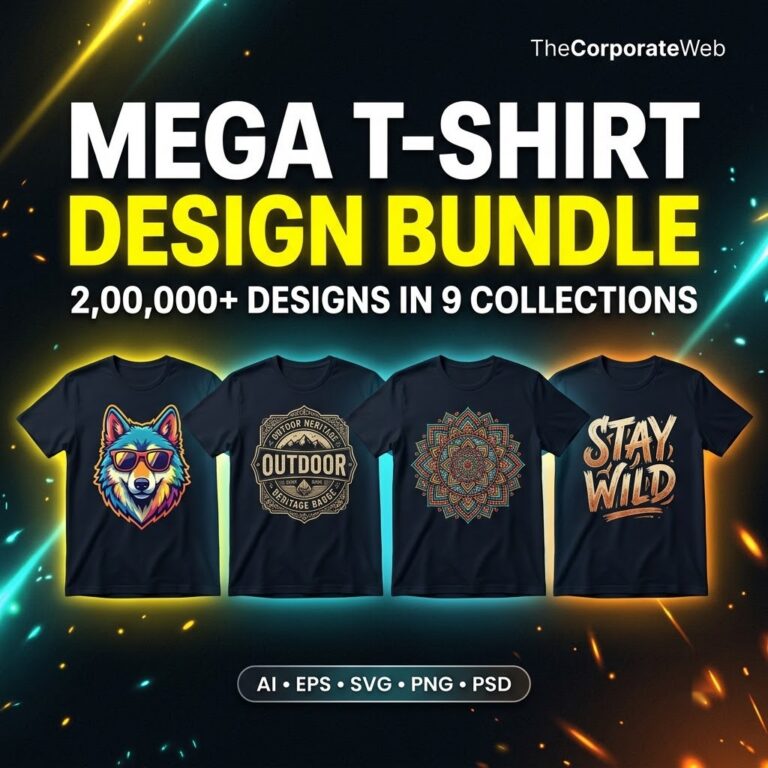
If you are new to PSD files, the Adobe Photoshop help pages explain how to open and edit them. Designers who also print on clothes can look at the Mega T Shirt Design Bundle, and anyone building a wider toolkit can compare the Creator Mega Pack.
Tips to get the most from your business banners and flyers bundle
Download the visiting card folder of the business banners and flyers bundle first, because it is the smallest part and the easiest to show a client.
Open each section once and note the file types inside before you promise a client a delivery date.
Keep a master copy of every folder untouched and work only on duplicates.
Build a small sample sheet of three banners and three visiting cards from the business banners and flyers bundle to send on WhatsApp to new clients.
Check the Education, Real Estate and Festival folders before each season, since they are large and take time to download.
Your first week with the business banners and flyers bundle
Day one is for setup. Open the PDF, save it somewhere safe, and download the visiting card folder plus the grocery and dental care banners, because those three sit in our own Google Drive copy. Create a folder on your computer called Originals and never edit inside it.
On days two and three, open files and learn them. Pick one visiting card design and change the name, phone number and logo. Then try one banner from the grocery pack. The goal is to know how long a real edit takes you with this business banners and flyers bundle, so you can quote honestly.
Days four and five are for samples. Make three banners and three visiting cards for imaginary shops, export them as images, and put them in a simple sheet. On day six, message ten local shops, clinics or schools you already know. On day seven, follow up with each person and ask what they need printed next.
Keep the first week small on purpose. You do not need every folder to land your first customer. One clean sample, one honest price and one clear message to a shop owner you know is enough to begin, and the other sections can wait until a client asks for them.
How to pick files from a business banners and flyers bundle
Do not try to use all 16 sections at once. Start with the work you can sell this month. A grocery shop wants a banner. A dentist wants a clinic board. A coaching centre wants an education banner. Match the section of your business banners and flyers bundle to the person in front of you.
The visiting card folder is listed as PSD files, which are layered files you can open in Photoshop. For the other folders, the file types depend on the folder, so open each one and check before you plan the job. We have not listed formats we cannot prove.
Sort what you download by business type, not by file name. A folder called Dental, one called Restaurant and one called Festival will save you minutes on every order. The folder names in this bundle already follow that logic, so keep them as they are.
Large folders deserve a plan. Education, Real Estate and the festival packs run to several GB each. Check your storage, use a stable internet connection, and download one folder at a time so you can confirm it opened properly before moving on.
Selling banner design for shops and local businesses
Banner design for shops is steady work because every shop needs a board, a flex print or a social post. With these files as a starting point you spend your time on the shop name, the offer and the colours, not on a blank page. That is where the saving comes from.
Keep your offer simple. One banner with the shop name, the product line and a contact number is a clear first job. Add a matching visiting card and you have a small package. A business banners and flyers bundle makes this easy because both parts come from one place. Quote each part separately so the client can say yes to one and later add the other.
Ask for the logo, phone number and address in one WhatsApp message before you start. Most delays come from missing details, not from design. A short checklist you send to every new client makes each job smoother and your work look more professional.
Flyers and brochures are the next step up. The bundle has a flyer pack, a flyers folder and two brochure sections, so you can offer a simple handout for a new clinic, a coaching class or a property launch without building a layout from nothing.
Visiting card design work you can offer with this bundle
The bundle opens with 100+ premium visiting card designs in PSD, and we keep our own copy of that folder. For a freelancer, visiting card design is an easy first service from this business banners and flyers bundle: the client gives a name, a role and a number, and you place them in a layout that suits their trade.
There are also 11 digital visiting cards in the last section. Digital cards are useful for clients who share contact details over WhatsApp or social media. Open the folder, see what each card contains, and show a few options before the client decides.
Always show two or three card styles, never ten. Too many choices slow people down. Let the client choose one, fix the spelling together, and then send the final image or the print ready file in the format the printer asks for.
Logos and infographics sit in their own sections. A small business without a logo can start from the files in the Logos folder, and a clinic or school that wants to explain a service can look through the Infographics folder. Open both and judge what fits before you promise anything.
Festival poster templates and seasonal offers
Three sections cover festivals: a festival banner pack, a festival templates folder and a folder of Indian festival posters. Together they give you festival poster templates you can adapt for shops that run offers around Diwali, Eid, Holi, Navratri and other occasions. Open each folder to see exactly which festivals it holds inside the business banners and flyers bundle.
Plan ahead. Shop owners usually order festival material a week or two before the date, so message them early with a sample. A greeting poster with the shop name and logo is a small job that often leads to a banner order.
These folders are large, about 2 GB and more each, and they stay at their source. Download them early in the season and keep them on your own storage so a removed link does not cost you a client.
Mistakes to avoid with a business banners and flyers bundle
The first mistake is sending a client the raw file with another shop's name still inside. Always search every layer for old text and logos before you export. The second is promising a delivery time before you have opened the folder and checked how complicated the layout is. Both are easy to avoid with a short checklist.
The third mistake is sharing the PDF or the links with other people. The licence lets you use the files in your own and your clients' work, but not resell or hand out the files or the links. Keep the PDF to yourself and send clients only your finished design.
Finally, do not leave all downloads for later. Some folders in the business banners and flyers bundle stay at their original source, and an owner can remove a link without warning. Spend one evening downloading the sections you will use and store them safely.
One more thing to avoid is working with no backup. Keep your edited files in two places, such as your computer and a drive, so one broken laptop never costs you a finished job.
This business banners and flyers bundle versus buying packs one by one
Buying a single banner pack from one site, a flyer pack from another and a visiting card set from a third adds up fast, and each one comes with its own download process. This business banners and flyers bundle gives you all of them in one PDF at Rs 499, against a list price of Rs 1,499.
The bigger saving is time. You do not search for each trade again and again. A client asks for a dental banner, a restaurant banner or a festival poster, and you already know which section holds it. That keeps your day to day work smooth and your quotes quick.
Be realistic as well. A bundle is a starting point, not a finished design for every client. You will still change names, colours and details for each shop, and some jobs will need a layout you build yourself.
Frequently asked questions
What is inside the business banners and flyers bundle?
You get one PDF with direct links in 16 sections. They cover 100+ premium visiting card designs in PSD, grocery, dental care, education, real estate and restaurant banners, festival banners and posters, flyers, brochures, infographics, logos and 11 digital visiting cards.
How big is the business banners and flyers bundle?
About 24 GB sits behind the links, so you do not need to download everything at once. Pick the sections you will use first and leave the rest for later. Make sure your device has enough free space before you start.
Do I need Photoshop to use the business banners and flyers bundle?
The visiting card designs come as PSD files, which Photoshop opens. For the other folders, the file types depend on the folder, so check each one after you open it. Do this before you promise a client a delivery date.
How do I get the files after paying?
The PDF of direct links appears on the confirmation page right after payment. You also get it by email, and it stays in My Account under Downloads.
Are all the files in the business banners and flyers bundle stored by you?
No. The visiting cards, grocery banners and dental care banners are copied into our own Google Drive. The other folders stay at their original source and can be removed by their owners, so download early what you need.
Can I use the business banners and flyers bundle for my clients?
Yes, you can use the files in your own work and your clients' work. Please do not resell or share the files or the links, unless a pack says it has resale rights.
Are these files your original work?
No. This is a compiled collection of files linked from where they sit. We organise the links so you do not have to search for them.
Will this business banners and flyers bundle make me money?
No product can promise income. You can use the files to offer design services or grow a business page, but results depend on your effort and your market.
Is there a refund on the business banners and flyers bundle?
We do not offer refunds on digital files. If a link does not open or you cannot find a file, contact us within 7 days and we will help you get access.
Can I use the festival folders for any shop?
The festival folders suit shops that run seasonal offers, but you should open them and check which festivals and layouts they hold. Change names, logos and details so each design matches the shop.
Last updated: November 2026. Prices and contents are checked against the live store.
How you receive it
- Pay securelyUPI, cards or net banking by Razorpay.
- Get your linkOn the order page right away, and by email.
- Download anytimeFrom My Account, Downloads. Lifetime access.
Licence: Commercial use
- Allowed: Use the files in your own and your clients' posts, videos and products, including paid work.
- Not allowed: Reselling, sharing or uploading the files themselves.
Questions
How will I receive it?
Right after payment the download link appears on the order page and is emailed to you. It also stays in My Account under Downloads.
Can I use it for my business or clients?
Licence: Commercial use. Allowed: Use the files in your own and your clients' posts, videos and products, including paid work. Not allowed: Reselling, sharing or uploading the files themselves.
Do I get lifetime access?
Yes. Download it whenever you need it from My Account, on phone or computer.
What if the download does not work?
Message us on WhatsApp (messages only, no calls) or email support@thecorporateweb.in and we will sort it out quickly. Message on WhatsApp
Which payment methods can I use?
UPI, debit and credit cards, and net banking, processed securely by Razorpay.











Reviews
There are no reviews yet.