
About this bundle
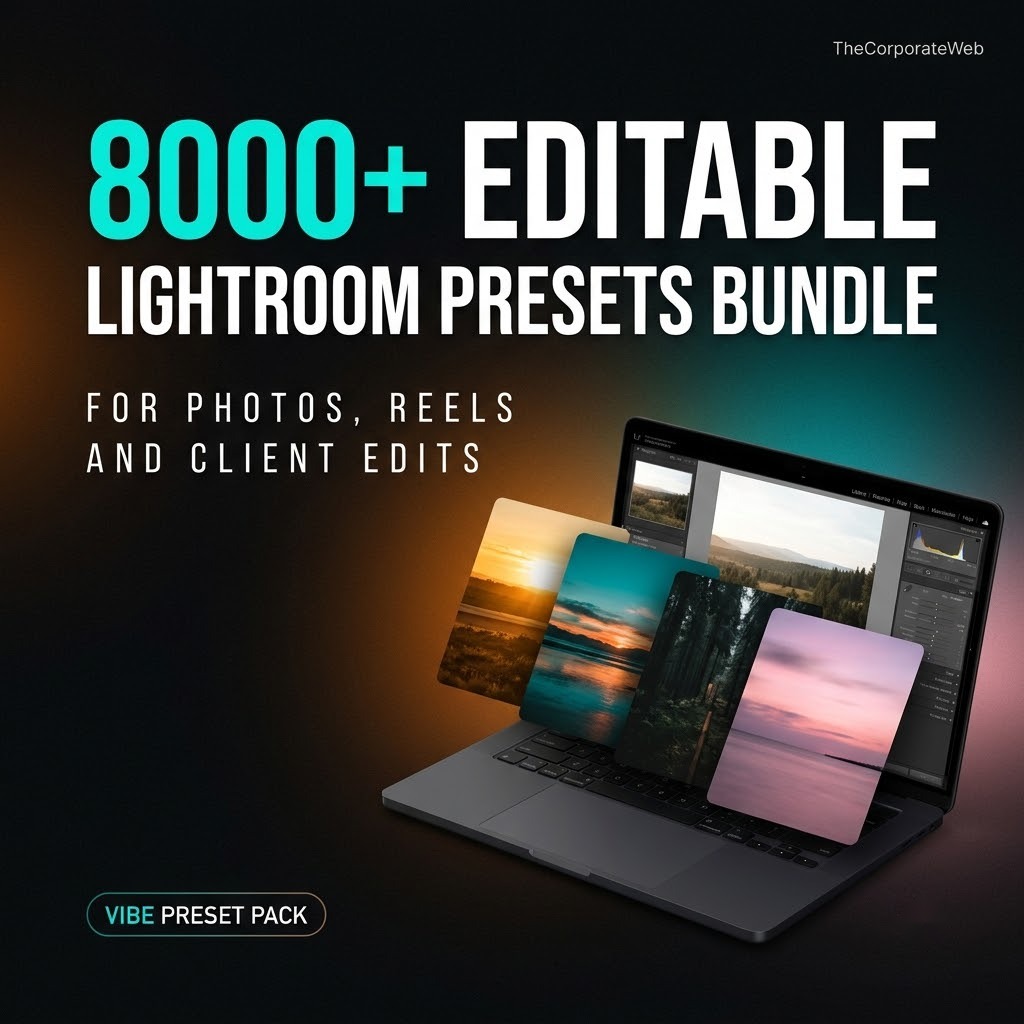
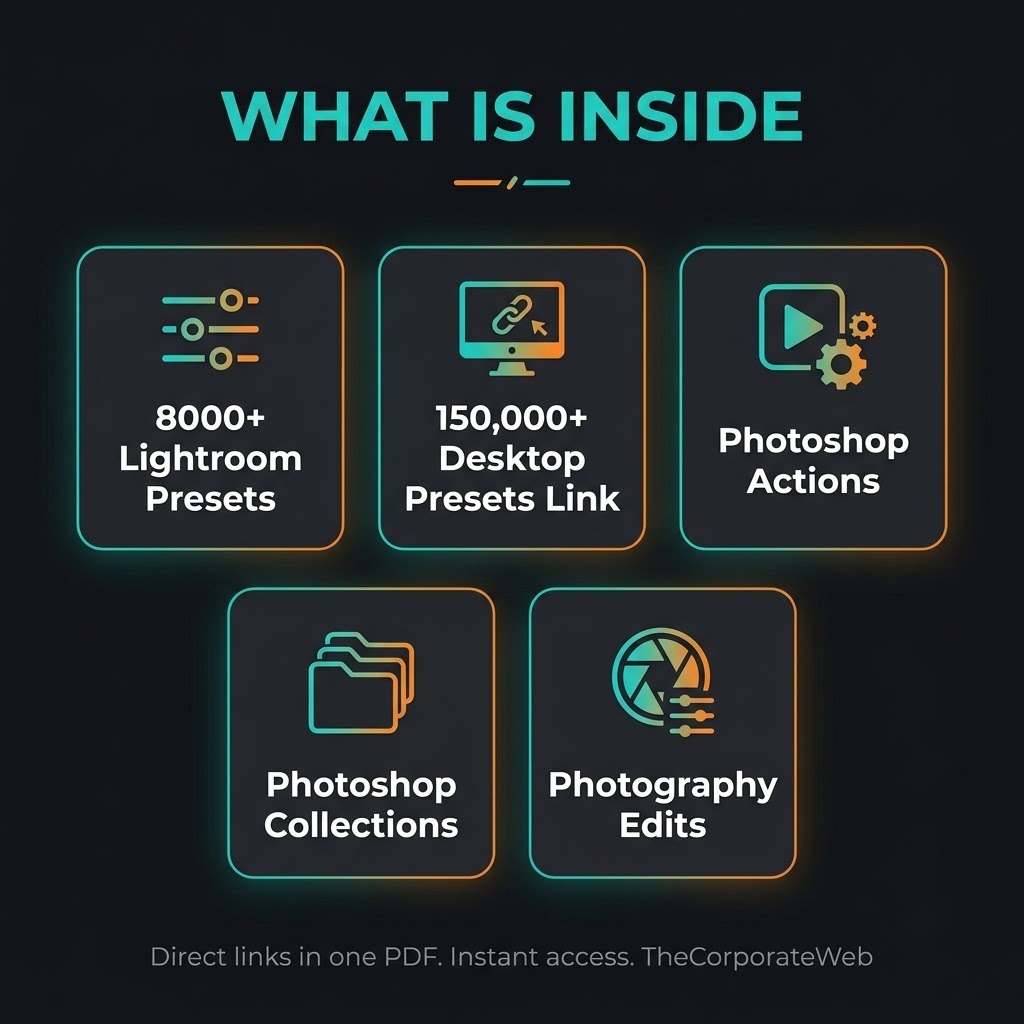
Quick answer: The 8000+ Editable Lightroom Presets Bundle is a lightroom presets bundle for photographers, Instagram creators and wedding editors who want a large range of looks in one place. It gives you 8000+ Lightroom presets, a link file for 150,000+ desktop presets, Photoshop actions, Photoshop collections and photography training. About 6 GB sits behind the links in 5 sections. You pay Rs 299 today against a list price of Rs 799.
What’s inside the lightroom presets bundle
8000+ Lightroom presets, Vibe 2
8000+ Lightroom presets, Vibe 2. One file, 61 MB. We keep our own copy of this folder in Google Drive, so it stays available even if the original disappears.
150,000+ Lightroom desktop presets (link file)
150,000+ Lightroom desktop presets (link file). A small file.
Photoshop actions (1,200+ files)
Photoshop actions (1,200+ files). 1,268 files, 1.8 GB in total.
Photoshop collections
Photoshop collections. 10 files, 2.4 GB in total.
Photography training and edits
Photography training and edits. 34 files, 1.9 GB in total.
Who this lightroom presets bundle is for
Photographers who want a lightroom presets bundle with a wide range of looks to try on their own shoots and speed up the edit.
Instagram creators who want a consistent look across their feed without building every preset from scratch.
Wedding editors and freelancers who sell photo editing and need many styles ready to show a client.
How the lightroom presets bundle helps you earn and grow
Presets save time, and time is what editors sell. With a lightroom presets bundle you can offer photo editing as a service, show clients several looks on the same picture, or build a recognisable style for your own page. You can also study the training folder and learn a skill you later offer to others.
You still do the real work: choosing the right look, adjusting each photo and talking to clients. No product can promise income, results depend on your effort and your market.
How you get it and what you can do
Instant access: after payment the PDF with direct links appears on the confirmation page and in your email, and stays in My Account, Downloads
Licence: Use the files in your own and your clients’ work. Please do not resell or share the files or the links, unless a pack says it has resale rights.
Why this lightroom presets bundle saves you time and money
Hunting for presets across many websites means popups, broken links and files you cannot trust. This lightroom presets bundle puts 5 sections into a single PDF, so you open one document and pick what you need. Here is the honest part about where files sit. Everything is shared through Google Drive links.
The 8000+ presets folder is copied into our own Google Drive. The other four sections stay at their original source and their owners can remove them, so download early what you plan to use.
If you have never loaded a preset before, the Adobe Lightroom help pages explain how to import presets step by step. If you also edit videos for clients, look at the Video Editing Bundle, and for a wider toolkit compare the Creator Mega Pack.
Tips to get the most from your lightroom presets bundle
Download the 8000+ presets folder of the lightroom presets bundle first, since it is small and stored in our own Google Drive copy.
Test any preset on three different photos, because one look rarely suits every light and skin tone.
Keep a short list of your ten favourite presets from the lightroom presets bundle so you do not scroll through thousands each time.
Adjust the sliders after you apply a preset, because every photo needs a small correction.
Open the link file for the 150,000+ desktop presets and read what it holds before you plan any work around it.
Your first week with the lightroom presets bundle
Day one is for setup. Open the PDF, save it somewhere safe, and download the 8000+ presets folder. Then follow the Adobe help page to import a small batch of presets into Lightroom. Do not import thousands at once. Start with a few dozen so the panel stays easy to scroll.
On days two and three, apply presets to your own photos. Try one portrait, one street picture and one product shot. Notice which looks feel natural and which feel heavy. Write down the names of the presets you like, so you build your own short list.
On days four and five, make a before and after set of five photos. On day six, share them on your Instagram page or send them to a few people you know who need photo editing. On day seven, ask for feedback and note which look people liked most.
Keep the week simple on purpose. You do not need every section to begin. One good preset, one honest before and after and one clear message to a person who needs photo editing is enough. The rest of the lightroom presets bundle can wait until you have a real reason to open it.
How to pick and import files from a lightroom presets bundle
The bundle has five sections, and each one has a different job. The 8000+ presets folder is the main collection. The 150,000+ desktop presets is listed as a link file, so open it and read what it holds before you plan around it. The Photoshop sections are for photographers who also edit in Photoshop.
Do not trust a count blindly. The figures such as 8000+ and 150,000+ come from the folder names. File types and layouts depend on each folder, so open a few files first. If one folder does not suit your software, leave it and move to the next section.
Import in small batches and keep your Lightroom panel tidy. Create groups such as Portrait, Wedding, Travel and Food, and move only the presets you actually like into them. A short, organised list is faster to use than a huge messy one.
Large downloads need a plan. The Photoshop actions, the collections and the photography folder run to several GB. Check your free storage, use a stable internet connection and download one folder at a time, so you can confirm that it opened properly before you start the next.
Keep a simple note of what each section gave you. After a week, write down which folders you opened, which presets you used and which you will never touch. That short list becomes your personal shortlist and stops you from downloading the same files twice.
Lightroom presets for Instagram and a consistent feed
Lightroom presets for Instagram help you give every post the same mood. A page where the colours match looks planned and professional, even when the photos are shot on different days. Pick one or two looks from the lightroom presets bundle and use them across a full month of posts.
Do not apply a preset and post straight away. Check skin tones, whites and shadows on your phone screen, since that is where most people will see the picture. A small slider change often turns a good preset into a great edit.
If you run a page for a brand or a client, save your chosen preset names in a note. That way anyone on the team can edit with the same look. Consistency is what makes people recognise your page in a busy feed.
Plan a month of posts before you edit. Choose ten photos, apply the same look to all of them and view them together as a grid. If one picture stands out in the wrong way, adjust its exposure or colour until it sits well beside the others. A lightroom presets bundle gives you the choice, but the planning is yours.
Photo editing presets as a service for clients
Many people who shoot weddings, events and products do not have time to edit every picture. With a lightroom presets bundle you can offer a quick, clear service: send a few sample looks, let the client choose one, then apply it to the full set and fine tune each photo.
Editable Lightroom presets keep the sliders open after you apply them. That means you can change exposure, colour and contrast for each photo and still keep the same overall look. This is where your skill matters more than the preset itself.
Set your price by the number of photos and the turnaround, and tell the client what you will deliver. Be honest about timing. A clear promise that you can keep brings repeat clients, while a rushed one costs you a good name.
Show your work in a simple way. A short before and after carousel on Instagram or a WhatsApp message with two pictures tells a client more than any long explanation. Use your own photos or ones the client has agreed to share, and never post a client's picture without asking first.
Ask clients for a reference picture if they have one. A single photo they like tells you more about the look they want than ten words. Match the mood, then adjust skin tones and exposure on each picture so the final set feels even and natural.
Photoshop actions and training inside the lightroom presets bundle
Beyond presets, this lightroom presets bundle carries Photoshop actions with 1,268 files, ten Photoshop collections and a photography folder with 34 files of training and edits. These sections are useful when you want to go deeper than a one click look.
The training folder is learning material. How much you gain depends on how much time you give it and how you practise. Pick one lesson, apply it to your own photos and compare the result with your old edits.
These three sections stay at their original source, and they are large, about 6 GB in total with the rest. Download early what you want to keep, check the file types of each folder, and leave the sections you do not need.
Photoshop actions are recorded steps that you can run on a picture, which can save repeat work. The folder holds 1,268 files, so open a few, try them on a copy of your photo and note which ones suit your style before you build a workflow around them.
Treat the Photoshop collections the same way. Ten files sit in that section, so open each one, note what it holds and decide whether it fits your work. Skip anything you cannot use, and do not let a large folder distract you from the edits your clients are waiting for.
This lightroom presets bundle versus buying packs one by one
Buying one preset pack for a wedding look, another for a travel look and a third for food adds up quickly. This lightroom presets bundle brings presets, actions and training into one PDF at Rs 299, against a list price of Rs 799. You open one document and choose.
The bigger saving is time. You stop searching for new packs every week and instead learn to use the ones you already have. A smaller set that you know well will give better edits than a huge library you never open.
Be realistic as well. Presets are a starting point, not magic. Every photo has its own light, so expect to adjust each one. The bundle gives you the material; the finished look still comes from your eye.
Finally, think of your next step. If you already edit photos, add a small package of your own, such as ten edits for a set price. If you edit videos too, you can pair this with other creator files and offer a wider service to the same clients.
One habit separates good edits from rushed ones: check every picture. A bright preset on a dim indoor photo can look harsh. Lower or raise the exposure, fix white balance and then export. A minute of care per photo is what clients notice, and it works whichever pack you start from.
Frequently asked questions
What is inside the lightroom presets bundle?
You get one PDF of direct links in 5 sections. They cover 8000+ Lightroom presets (Vibe 2), a link file for 150,000+ Lightroom desktop presets, Photoshop actions with 1,268 files, Photoshop collections with 10 files, and photography training and edits with 34 files. Open the PDF and pick the section that matches your work.
How big is the lightroom presets bundle?
About 6 GB sits behind the links, and most of that is in the Photoshop and photography sections. The 8000+ presets folder is only about 61 MB, so it downloads quickly. You do not have to download everything at once.
Do I need Lightroom to use the presets in the lightroom presets bundle?
Yes, the presets are meant for Lightroom. Check the Adobe help page for how to import them, and open each folder to see which file types it holds before you start. Import a few first to confirm that they load.
How do I get the files after paying?
The PDF of direct links appears on the confirmation page right after payment. You also get it by email, and it stays in My Account under Downloads, so you can open it again any time.
Are all the files in the lightroom presets bundle stored by you?
No. The 8000+ presets folder is copied into our own Google Drive. The other four sections stay at their original source and can be removed by their owners, so download early what you need.
Can I use the lightroom presets bundle for my clients?
Yes, you can use the files in your own work and your clients' work. Please do not resell or share the files or the links, unless a pack says it has resale rights.
Are these files your original work?
No. This is a compiled collection of files linked from where they sit. We organise the links into one PDF so you do not have to search for them across many sites.
Will this lightroom presets bundle make me money?
No product can promise income. You can use the files to offer photo editing or grow your page, but results depend on your effort and your market. Treat the bundle as a toolkit and put in the work.
Is the photography training a course with promised results?
It is learning material only, so it is education and not a promise of results. What you gain depends on how much you practise and apply.
Is there a refund on the lightroom presets bundle?
We do not offer refunds on digital files. If a link does not open or you cannot find a file, contact us within 7 days and we will help you get access. Some links may be removed by their owners over time.
Last updated: November 2026. Prices and contents are checked against the live store.
How you receive it
- Pay securelyUPI, cards or net banking by Razorpay.
- Get your linkOn the order page right away, and by email.
- Download anytimeFrom My Account, Downloads. Lifetime access.
Licence: Commercial use
- Allowed: Use the files in your own and your clients' posts, videos and products, including paid work.
- Not allowed: Reselling, sharing or uploading the files themselves.
Questions
How will I receive it?
Right after payment the download link appears on the order page and is emailed to you. It also stays in My Account under Downloads.
Can I use it for my business or clients?
Licence: Commercial use. Allowed: Use the files in your own and your clients' posts, videos and products, including paid work. Not allowed: Reselling, sharing or uploading the files themselves.
Do I get lifetime access?
Yes. Download it whenever you need it from My Account, on phone or computer.
What if the download does not work?
Message us on WhatsApp (messages only, no calls) or email support@thecorporateweb.in and we will sort it out quickly. Message on WhatsApp
Which payment methods can I use?
UPI, debit and credit cards, and net banking, processed securely by Razorpay.






















Reviews
There are no reviews yet.