About this bundle
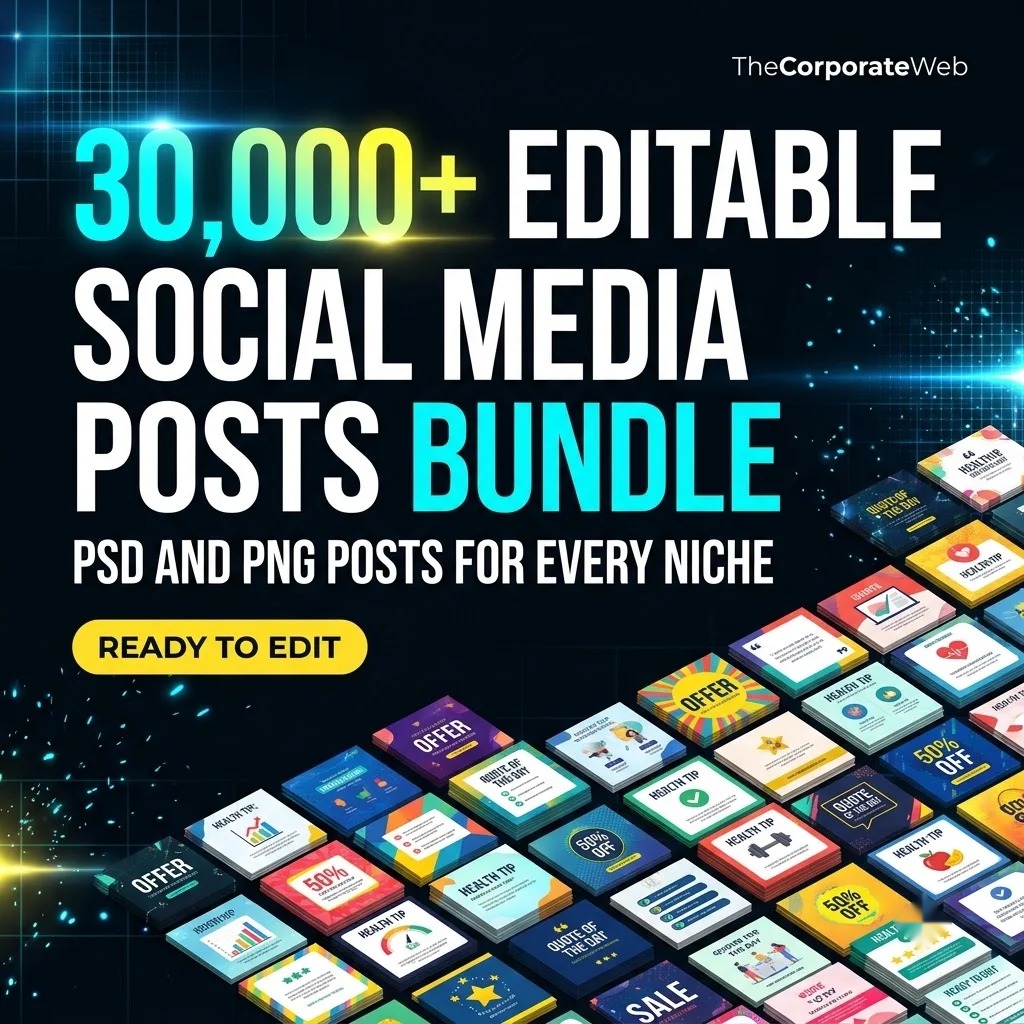
Quick answer: The 30,000+ Editable Social Media Posts Bundle is a social media posts bundle of ready made post designs, banners and quote posts for creators, freelancers and agencies who post every day. It comes as one PDF of direct links, grouped into 9 sections, with about 13 GB of files behind the links. You pay Rs 499 against the list price of Rs 1499. Use the files in your own pages and in your clients' work.
What’s inside the social media posts bundle
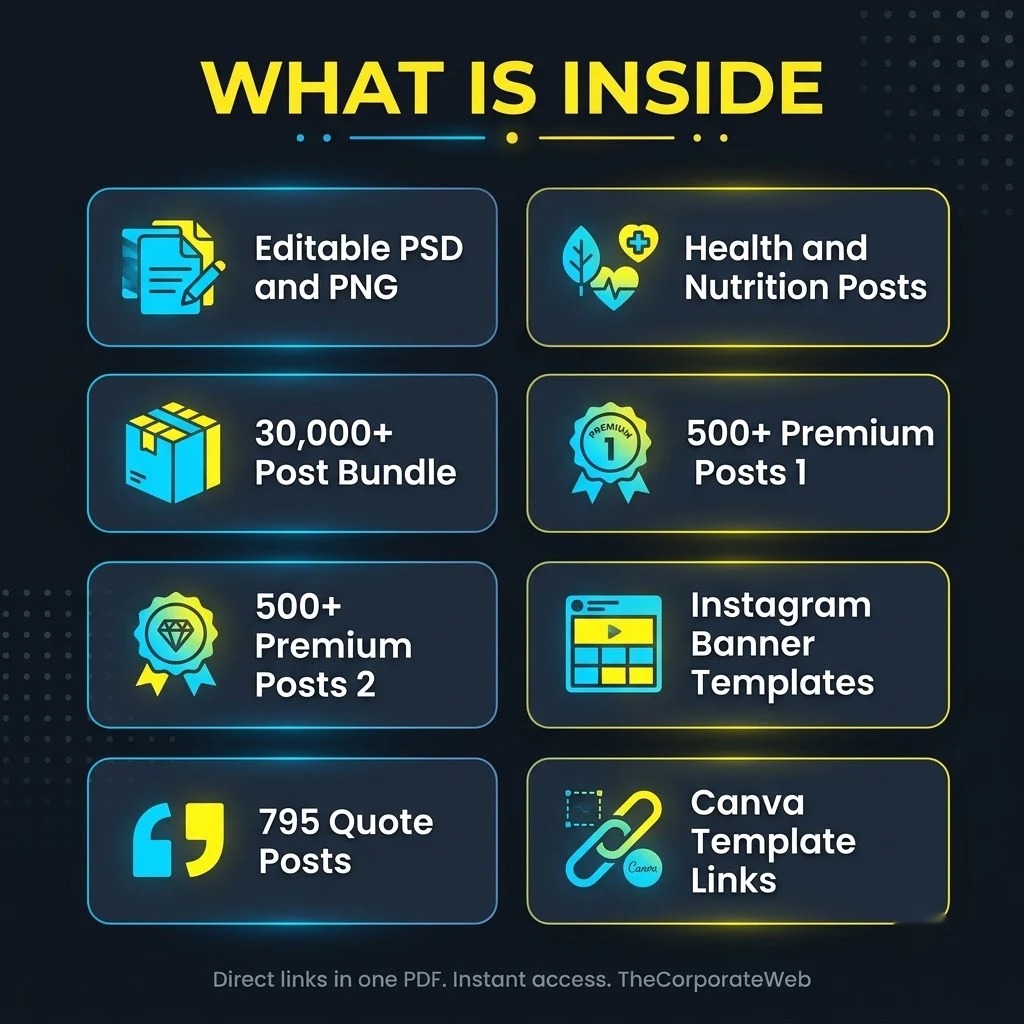
Social media editable files (PNG and PSD)
Social media editable files (PNG and PSD). 85 files, 0.5 GB. We keep our own copy of this folder in Google Drive, so it stays available even if the original disappears.
300+ health and nutrition quote posts
300+ health and nutrition quote posts. 301 files, 0.4 GB. We keep our own copy of this folder in Google Drive, so it stays available even if the original disappears.
30,000+ social media post bundle
30,000+ social media post bundle. 5 files, 6.9 GB. This part of the social media posts bundle holds 5 direct links. Highlights: 500+ Social Media Premium Bundle Pack 1, 2020 Collection, 500+ Social Media Premium Bundle Pack 2, 2020 Collection, Festival Banner Pack 1, Indian Festival Posters, Social media Post.
500+ social media premium posts, pack 1
500+ social media premium posts, pack 1. 0.4 GB.
500+ social media premium posts, pack 2
500+ social media premium posts, pack 2. 0.6 GB.
Social media post archive
Social media post archive. 3.0 GB.
Instagram banner and post templates (PSD)
Instagram banner and post templates (PSD). 201 files, 1.3 GB.
795 black text on white background posts
795 black text on white background posts. 781 files, 0.1 GB.
Canva template links
Canva template links. 11 files, 4 MB.
Who this social media posts bundle is for
Freelance social media managers who run pages for local shops, clinics and restaurants and need fresh post designs every week.
Creators and page owners who post daily and want a large library of editable posts, quotes and festival designs instead of starting from a blank canvas.
Small agencies and design studios who want one organised set of PSD, PNG and Canva links to share with juniors and clients.
How the social media posts bundle helps you earn and grow
Files help you earn and grow when you turn them into a service or a habit. A freelancer can offer a monthly posting plan to a local business and use these designs as the starting point, changing the text, colours and logo to match each client.
A creator can keep a page active every day with festival posts and quote posts, which helps a page grow over time. You can also learn editing by opening the PSD files and studying how they are put together, then offer that skill as a paid service. This social media posts bundle gives you the raw material and saves hours of searching.
No product can promise income, results depend on your effort and your market.
How you get it and what you can do
Instant access: after payment the PDF with direct links appears on the confirmation page and in your email, and stays in My Account, Downloads
Licence: Use the files in your own and your clients’ work. Please do not resell or share the files or the links, unless a pack says it has resale rights.
Why this social media posts bundle saves you time and money
One social media posts bundle is easier than hunting for files across many sites. Instead of opening dozens of links, you get one PDF with nine clearly named sections. Be clear about where the files sit. Everything is shared through Google Drive links.
Some folders, the editable PNG and PSD files and the health and nutrition quote posts, are copied into our own Google Drive. The rest stay at their original source, and their owners can remove them. So download early what you need and save it to your own storage.
You do not have to download all 13 GB, so pick the folders that match your work and check each folder before use.
If you are new to design, the free lessons at Canva Design School help you learn the basics of layout, fonts and colour. Once your posts are going out regularly, you can add motion with the Video Editing Bundle or look at the Creator Mega Pack for wider creator material.
Tips to get the most from your social media posts bundle
Download the editable PNG and PSD folder and the health quote posts first, because we keep our own copy of those.
Make one Google Drive folder per client or per page and move the posts you pick into it, so nothing gets mixed up.
Change the colours, fonts and logo in every post from the social media posts bundle so each page keeps its own look.
Check each folder before use, because contents and formats can differ from one folder to the next, and note which Instagram post templates suit your page.
Plan one week of posts at a time and use the festival folders of your social media posts bundle a few days before each date.
A 7 day plan to start with your social media posts bundle
This plan is for anyone who has just bought the social media posts bundle and wants a clear first week. It works for a freelancer looking for a first client and for a creator who wants a steady posting habit. Each day has one small job, so you never face all the files at once.
Day 1: open the PDF and read the nine section names. Pick the two or three that match the pages you handle. Do not try to open all 13 GB. A small, clear choice gets you moving much faster than a full download.
Day 2 and day 3: download your chosen folders to your computer and to your own Google Drive. Start with the folders we copied into our own Drive, then take the linked ones. Open a few files and check that they work in your editing software.
Day 4 and day 5: make a sample week of seven posts for one page. Change the text, colours and logo. If you are offering a service, make the sample for a local business you know, so you have something real to show.
Day 6 and day 7: post your own samples, or send the sample week to your first prospect on WhatsApp. Ask for feedback and fix what they point out. Then repeat the same steps for the next page or client. By the end of the week you know the bundle well and have a working routine you can repeat. Keep a note of which social media posts for business worked best.
How to pick the right files from this social media posts bundle
The bundle holds different kinds of files, so choose by your tool. The 85 editable files come as PNG and PSD. The 201 Instagram banner and post templates are PSD. The 11 Canva template link files suit people who like to edit online. Pick the format your team already knows. Think of the Instagram post templates as your daily workhorse and the archive as a reserve.
For quick daily posting, start with the quote posts. The bundle has 300+ health and nutrition quote posts and 795 black text on white background posts. They are simple to read on a phone and easy to restyle with your own colours.
For festival and seasonal work, open the Indian festival posters and the festival banner pack. For the biggest choice, go to the 500+ premium post packs and the 3 GB post archive. Preview a few files before you commit to a folder.
Keep a short list of the folders you picked and why. After a month, look at which styles your audience liked, and go back to the social media posts bundle for more files of that kind. This turns a huge library into a small, useful toolkit.
Using the social media posts bundle for local business clients
Many shops, clinics, coaching centres and restaurants know they should post but have no time. That gap is where social media posts for business become a service. You can offer a simple monthly plan, such as a fixed number of posts a week, built from these editable files.
Show the client a sample first. Take a post, replace the text with their offer, add their logo and colours, and send it on WhatsApp. People understand a finished sample faster than a long proposal.
Keep your promises small and honest. Say what you will deliver and when, and do not promise followers or sales. The bundle saves you design time, but the results for your client depend on their market and on how consistently they post.
Many clients also ask for festival posts, health tips or motivational quotes. This bundle has folders for all three kinds, so you can offer a clear menu of post types and let the client choose. Different post types also keep a page from looking repetitive.
Mistakes to avoid with any social media posts bundle
The first mistake is posting a file exactly as it is. Change the text, the colours and the logo, so your page does not look like every other page using the same designs. A little editing makes a post feel like your own.
The second mistake is downloading everything and never organising it. Thirteen GB of files is hard to search. Move only the folders you need into named folders on your own storage, and leave the rest in the PDF until you want them. Editable social media post templates only help when you can find them again.
The third mistake is waiting. Some folders stay at their original source and their owners can remove them. Download the ones you care about early. Also check each folder before use, because we cannot promise that every folder looks the same inside.
A final mistake is copying text you do not understand. If a post carries a health or nutrition message, read it, check that it suits your audience and edit it where needed. You are the one publishing it, so the responsibility for each post sits with your page.
Social media posts bundle versus buying post packs one by one
Buying post packs one by one means a new search, a new payment and a new folder every time. Quality also varies, and you only find out after you pay. A social media posts bundle puts many kinds of files in one place, so you can compare styles before you decide what to use.
Here you get premium post packs, a post archive, quote posts, PSD templates and Canva template links in a single PDF. For Rs 499, against a list price of Rs 1499, that is a wide starting library for creators and freelancers who post often. Social media posts for business clients are easier to plan when every style sits in the same PDF.
A single pack can still be the right choice if you only need one niche. But if you serve several clients or run several pages, a bundle gives you more room to experiment.
Many people ask whether a bundle is worth it when they already have a few packs. If you are happy with your library, you may not need more. If you often search for new designs, a bundle like this one saves that search every week.
How to stay organised with your social media posts bundle
Use a simple folder tree on Google Drive. Make one top folder for the bundle, then one folder for each section you downloaded. Inside, add a folder for each client or page, and a folder for finished posts.
Rename the files you use most, for example with the festival name or the topic. A short note in a spreadsheet, listing which post went to which page and on which date, stops you from repeating the same design too soon.
Keep your original downloads untouched and always edit a copy. That way you can go back to the original file whenever you need a fresh start for a new client.
Back up your best downloads. A second copy in another Google Drive account or on an external disk protects you if a linked folder is removed. Treat the social media posts bundle as a library you maintain, not a pile of files you only open once.
Frequently asked questions
What do I get after buying the social media posts bundle?
You get one PDF of direct links, grouped into 9 sections. It appears on the confirmation page, in your email and in My Account under Downloads.
Are these editable social media post templates?
The bundle holds editable PNG and PSD files, Instagram banner and post templates in PSD and Canva template links. These are the editable social media post templates you can restyle for each page. Check each folder before use, because formats can differ between folders.
How many posts are inside the social media posts bundle?
The bundle is listed as 30,000+ posts, with about 13 GB of files behind the links. We do not promise an exact file count beyond what each section states.
Do I need to download the whole social media posts bundle?
No. Pick the sections that match your work and download only those. Download early, because some folders stay at their original source.
Which files do you keep in your own Google Drive?
We keep our own copy of the editable PNG and PSD files and of the 300+ health and nutrition quote posts. The other folders stay where they already sit.
Can the original owners remove a linked folder?
Yes. The linked folders stay at their source, so their owners can remove them. This is why we ask you to download the folders you need soon after buying.
Can I use the social media posts bundle for my clients?
Yes, you can use the files in your own and your clients' work. Please do not resell or share the files or the links.
Does this bundle work for Instagram?
Yes, it includes 201 Instagram banner and post templates in PSD, along with many other post designs you can resize in your editing software. These Instagram post templates sit beside quote posts, festival posters and premium packs, so you can build a mixed feed. Open a few files first to see what suits your page.
Will the social media posts bundle make me money?
No product can promise income. You can use the files to offer a service, sell your own work or grow a page, but results depend on your effort and your market.
Is there a refund if I do not like it?
We do not offer refunds on digital bundles, so read the sections carefully before you buy. If you cannot open a link, contact us and we will help you get access within 7 days.
Last updated: November 2026. Prices and contents are checked against the live store.
How you receive it
- Pay securelyUPI, cards or net banking by Razorpay.
- Get your linkOn the order page right away, and by email.
- Download anytimeFrom My Account, Downloads. Lifetime access.
Licence: Commercial use
- Allowed: Use the files in your own and your clients' posts, videos and products, including paid work.
- Not allowed: Reselling, sharing or uploading the files themselves.
Questions
How will I receive it?
Right after payment the download link appears on the order page and is emailed to you. It also stays in My Account under Downloads.
Can I use it for my business or clients?
Licence: Commercial use. Allowed: Use the files in your own and your clients' posts, videos and products, including paid work. Not allowed: Reselling, sharing or uploading the files themselves.
Do I get lifetime access?
Yes. Download it whenever you need it from My Account, on phone or computer.
What if the download does not work?
Message us on WhatsApp (messages only, no calls) or email support@thecorporateweb.in and we will sort it out quickly. Message on WhatsApp
Which payment methods can I use?
UPI, debit and credit cards, and net banking, processed securely by Razorpay.










Reviews
There are no reviews yet.