
About this bundle
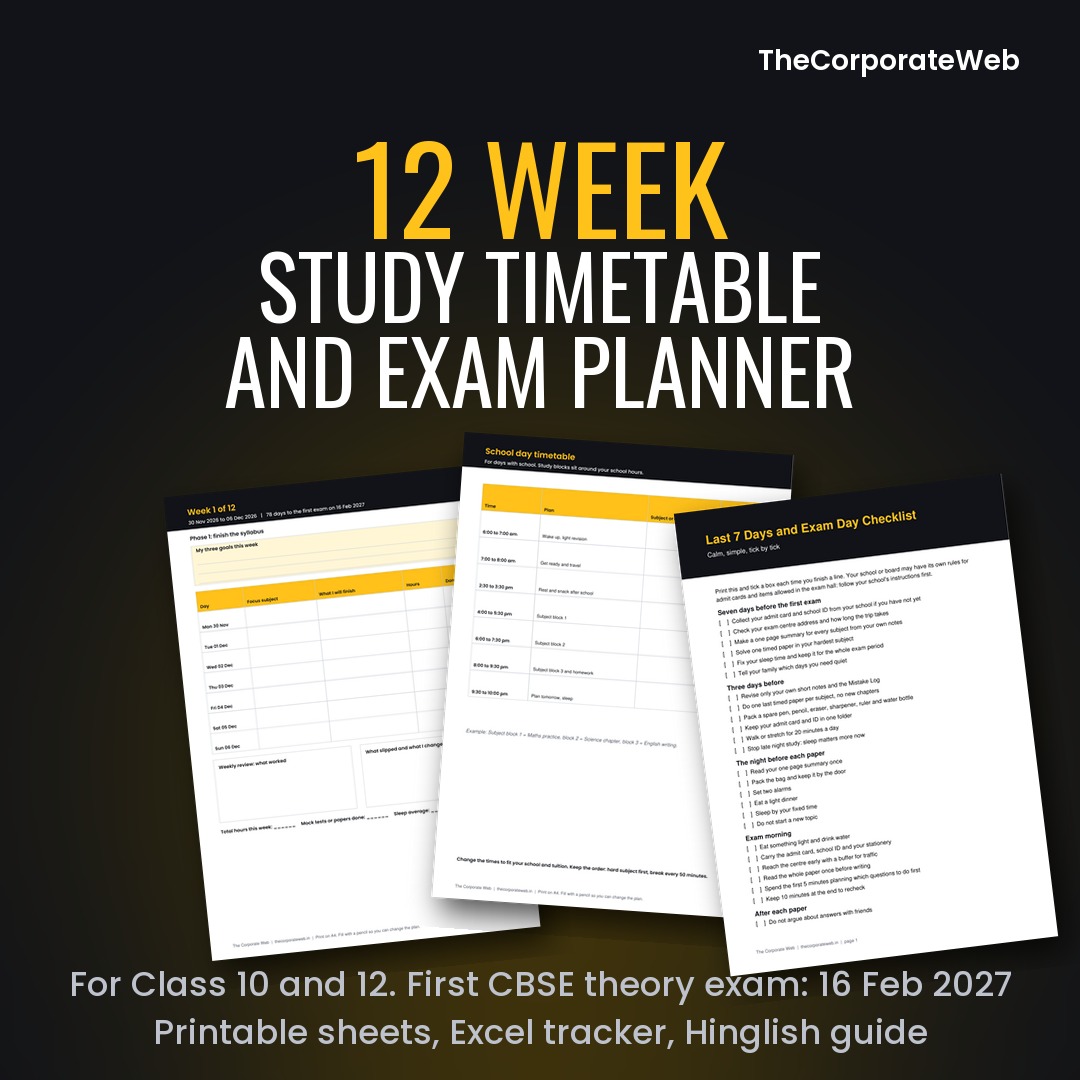
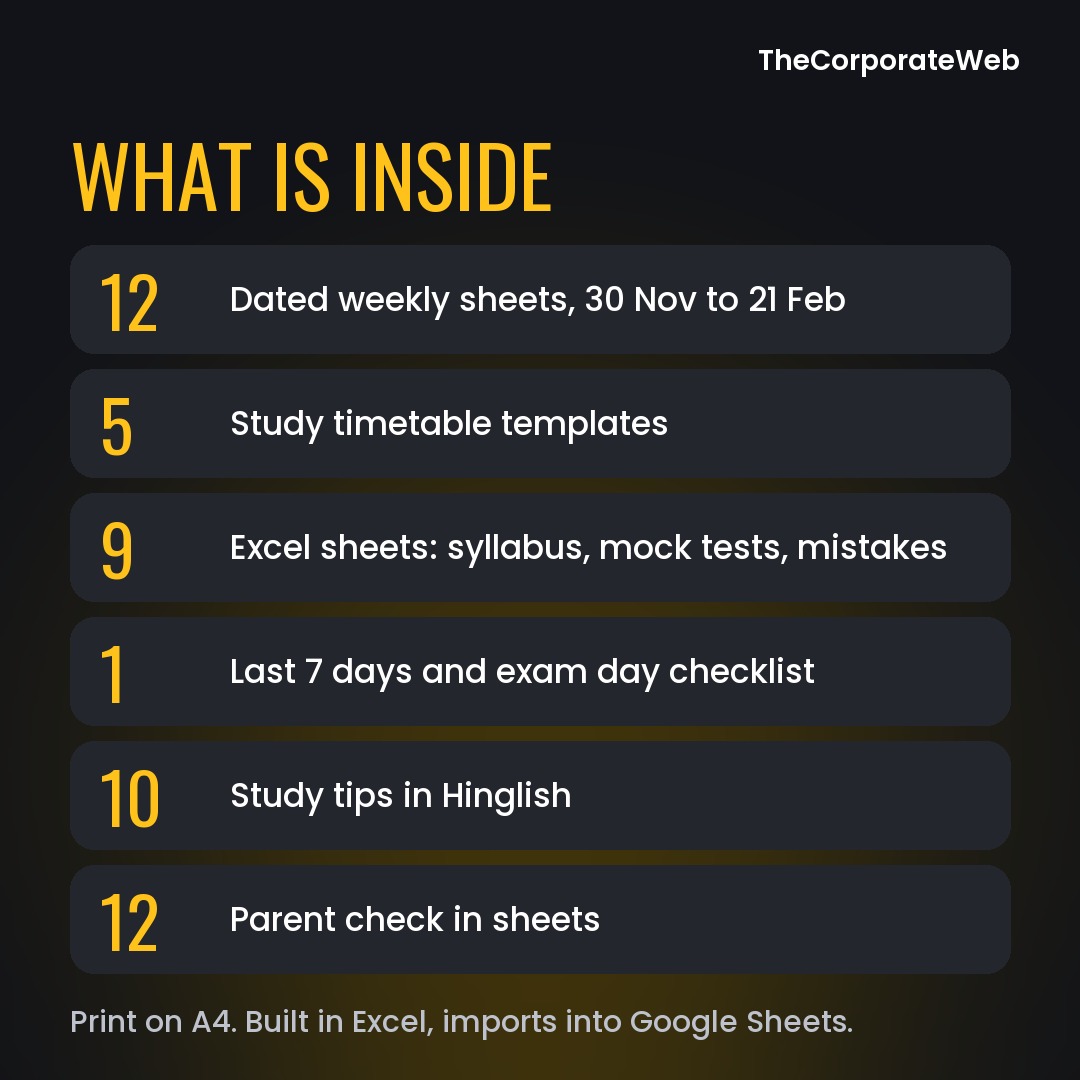
Quick answer: This study timetable and exam planner bundle gives Class 10 and 12 students a 12 week structure for board exams. It is a fillable planner: you write your own subjects, chapters and daily tasks, and the dates, sheets and tracking are ready. It holds 12 dated weekly planner sheets from 30 November 2026 to 21 February 2027, 5 study timetable templates, an Excel planner with 9 sheets, a last 7 days and exam day checklist, a study guide in Hinglish and 12 parent check in sheets. The CBSE 2027 theory exams start on 16 February 2027.
What’s inside the study timetable and exam planner bundle
12 dated weekly planner sheets, 30 Nov 2026 to 21 Feb 2027, with goals, daily tasks, hours and a weekly review
How to use page and a four phase plan: finish the syllabus, revise, practise full papers, exam week
5 study timetable templates: school day, holiday, exam week, revision day and a blank weekly grid
Fillable Excel planner with 9 sheets: a start here page, countdown, date sheet, syllabus tracker and summary, daily tracker, weekly hours, mock test log and mistake log
Last 7 days and exam day checklist (2 pages)
Study Smarter guide in Hinglish with 10 practical tips
12 parent check in sheets and a one page guide for parents
Who it is for
Class 10 and Class 12 students who want a clear plan for the last 12 weeks
Parents who want a calm weekly check in instead of daily arguments
Students of any board who want a plan for their own exam dates (the Excel planner and the timetables fit any date)
Need more for school? The Student and Teacher Kit has assignment front pages, project covers and lesson plans, and the free Notion student planner is a digital version for your class and assignments. You can browse every bundle in the shop.
How you get it and what you can do
Instant download: the links appear on the confirmation page and in your email, and stay in My Account, Downloads
Licence: Use it for your own learning, planning and projects. Please do not resell, share or upload the files for others to download.
Why this study timetable bundle works
A common problem in board exam season is losing track: which chapters are still untouched, which weak chapter needs a second round, how the last mock test actually went. This study timetable bundle turns that into a weekly routine of ten minutes. You fill three goals on Sunday, tick tasks each night, log every mock test and every wrong answer once, and review on the next Sunday.
The Excel exam planner does the counting for you: days left, chapters left per subject, average mock test percentage and hours studied each week. Nothing here promises marks. It gives you a structure to follow and a record of your own effort. For official exam notices and date sheets, see CBSE.
Tips to get the most from this planner
Print the weekly sheets on A4 and fill them with a pencil so you can change the plan
Put the first exam date in the Countdown sheet and your own date sheet in the Date Sheet
Type your chapter names in the Syllabus Tracker once, then choose Yes in the drop down as you finish each step
Log every mock test the same day: the average per subject shows where your next week of study should go
Write each wrong answer in the Mistake Log and revise it every Sunday
Sit with a parent for 10 minutes every Sunday using the check in sheet
Frequently asked questions
What is in the 12 Week Study Timetable and Exam Planner Bundle?
A 15 page printable planner with 12 dated weekly sheets, 5 study timetable templates, an Excel planner with 9 sheets, a 2 page last 7 days and exam day checklist, a Hinglish study guide with 10 tips, and 13 pages of parent check in sheets.
Is it already filled in with a ready made schedule?
No. It is a fillable planner. You write your own subjects, chapters and daily tasks. The dates, the weekly structure, the four phase plan and the automatic counting are ready for you.
Which exam dates does it use?
The printed weekly sheets run from 30 November 2026 to 21 February 2027 and count down to the first CBSE 2027 theory exam on 16 February 2027, as announced by CBSE on 6 and 7 November 2026. Check cbse.gov.in for the latest date sheet. For another board or exam date, change the date in the Excel planner and use the blank weekly grid and the timetable templates.
What if I buy it after 30 November?
Start at the current week sheet and set the first day of your plan in the Excel Daily Tracker. The sheets for weeks that have passed can simply be skipped.
Is it for Class 10 or Class 12?
Both. You write your own subjects (up to 8 in the Excel planner, picked from one list), so it fits Science, Commerce and Arts streams, and any board.
Does it include chapter lists for each subject?
No. Chapters differ by board and by year, so you type the chapter names from your own textbook contents page. The Syllabus Tracker has 12 chapter rows for each subject and free rows below for more, and it counts your progress automatically.
Does it work in Google Sheets?
It is built in Excel. You can import it into Google Sheets: open Google Sheets, choose File, Import, Upload, and pick Replace spreadsheet. The best and lowest mock test columns need Excel 2019 or newer, or Google Sheets.
Will it improve my marks?
We cannot promise marks. Results depend on your effort, your school and your health. The planner gives you a plan to follow, a way to track it and a list of what to revise.
How do I get the files?
Right after payment the download links appear on the confirmation page and in your email, and the files stay in My Account, Downloads.
Last updated: November 2026. Exam dates are checked against the CBSE announcement of 6 and 7 November 2026.
How you receive it
- Pay securelyUPI, cards or net banking by Razorpay.
- Get your linkOn the order page right away, and by email.
- Download anytimeFrom My Account, Downloads. Lifetime access.
Licence: Personal use
- Allowed: Use it for your own learning, planning and projects.
- Not allowed: Reselling, sharing or redistributing the files.
Questions
How will I receive it?
Right after payment the download link appears on the order page and is emailed to you. It also stays in My Account under Downloads.
Can I use it for my business or clients?
Licence: Personal use. Allowed: Use it for your own learning, planning and projects. Not allowed: Reselling, sharing or redistributing the files.
Do I get lifetime access?
Yes. Download it whenever you need it from My Account, on phone or computer.
What if the download does not work?
Message us on WhatsApp (messages only, no calls) or email support@thecorporateweb.in and we will sort it out quickly. Message on WhatsApp
Which payment methods can I use?
UPI, debit and credit cards, and net banking, processed securely by Razorpay.



















Reviews
There are no reviews yet.