


Visual search lets people search with a photo or their phone camera instead of typing words, and in 2026 it is a normal part of how Indians shop and discover things online. Tools like Google Lens, Circle to Search on Android phones and Pinterest Lens turn any image into a search query. In this article, we explain how the technology works and how to optimize your images and SEM strategy so shoppers find your business first.
Introduction To Visual Search
This simply means using images to find information or products online. With the growth of image content on Instagram, Pinterest and Google Images, searching with a picture has become an everyday habit for millions of people.
The technology behind it has been around for years, but better phone cameras and AI made it mainstream. It uses computer vision and machine learning to read patterns, colours, shapes and textures in a picture. People use it to find similar images, identify objects in real time, or locate a product they saw somewhere.
For Indian users, the common visual search use cases are very practical. A shopper photographs a kurta at a wedding and looks for similar designs, a student points the camera at a maths problem, and a traveller translates a signboard written in another language. Every one of these moments is a chance for a business with well optimised images to show up.
Understanding Visual Search Technology
The system works by analysing the visual features of an image and matching them with similar images or products in its index. Deep learning models try to understand the context of the picture, not only its pixels.
There are two main types. Reverse image search lets you upload an existing picture to find matching or similar ones, while camera based search uses your smartphone to identify objects in the real world as you point at them.
Visual search still has limits. It can struggle with small, blurry or cluttered images, and it does not always understand context, which is why the text around your images still matters.
Popular Visual Search Tools in 2026
- Google Lens: built into the Google app, Google Photos and Chrome, it identifies products, plants, text and landmarks, and links to shopping results.
- Circle to Search: on many Android phones you can circle anything on your screen and search it without leaving the app you are using.
- Pinterest Lens: helps users find ideas and products that look like a photo they take or upload.
- Bing: Microsoft lets you search with an image inside Bing and the Edge browser.
- Shopping apps: several large shopping apps, including Amazon, offer a camera icon in their search bar.
Importance of Visual Search for SEM
This new way of searching matters for search engine marketing because it opens a fresh path to discover products and services. Someone who cannot describe what they want in words can simply show it.
Visual search also improves the user experience, because results are based on what the person actually sees. When your images appear in these results, they bring visitors who already know what they want, and those visits are often closer to a purchase.
As the technology keeps improving, image led discovery is likely to take a bigger share of SEM planning, especially for fashion, home decor, food and local businesses.
Steps to Optimize SEM Strategy for Visual Search
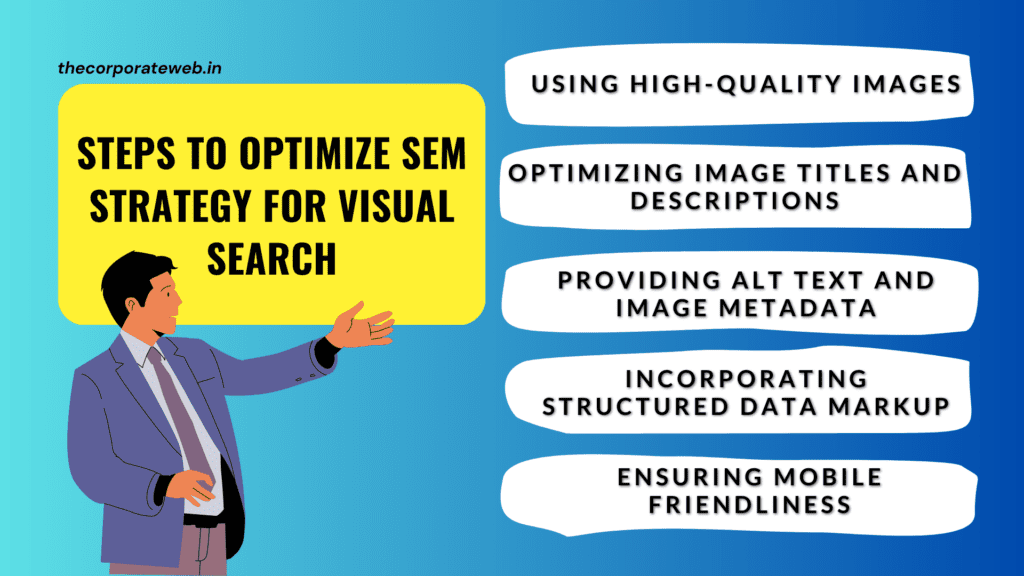
To prepare your website and campaigns, follow these steps:
1. Using High Quality Images
Clear, well lit and sharp images help the algorithm recognise your product accurately. Show the item from more than one angle against a clean background, and avoid heavy filters or text placed over the product.
2. Optimizing Image File Names, Titles and Descriptions
Rename files before uploading, for example red cotton kurta women.jpg instead of a camera default name. Write image titles and the text around each picture so they are descriptive, accurate and use the words a buyer would actually type.
3. Providing Alt Text and Image Metadata
Alt text describes the image for screen readers used by visually impaired visitors, so it improves accessibility first. It also helps search engines understand the picture, so describe it plainly in one short sentence instead of stuffing keywords. Captions and nearby headings add further context.
4. Incorporating Structured Data Markup
Structured data is code that gives search engines extra details about a page, such as product name, price, availability and image. On product pages, Product markup can help your listing show richer information in Google results. Google explains the details in its image SEO best practices guide.
5. Ensuring Mobile Friendliness
Most visual search happens on a phone, so your site must work well on mobile. Use a responsive design, compress images so pages load fast on Indian 4G and 5G networks, and use modern formats like WebP where possible.
6. Preparing Product Pages for Visual Search
When Lens finds a match, it shows shopping results and pages that contain similar images. Use the same original product photos on your website, your Google Business Profile and your Merchant Center listings, so the same item is recognised across Google.
Best Practices for Visual Search Optimization
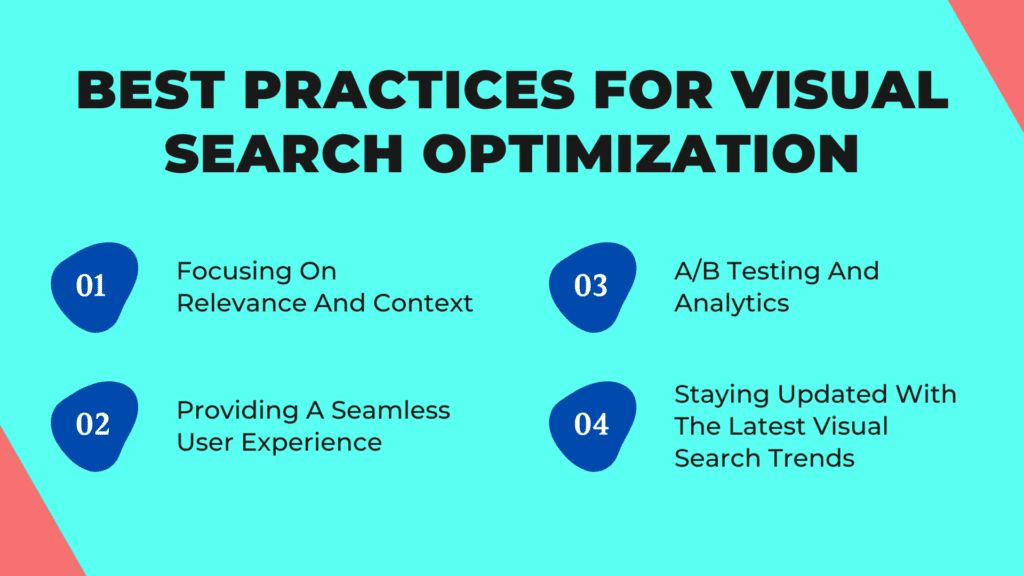
Beyond the steps above, keep these best practices in mind when you plan your SEM strategy for images.
1. Focusing on Relevance and Context
Images should match the query and represent the product or service exactly as it is. Misleading photos may earn a click, but they lose the sale and the trust.
The text around each image should add useful context, such as size, material, colour and use.
2. Providing a Seamless User Experience
A smooth experience improves engagement and the chance of a sale. Add filters, sorting options, zoomable product photos and simple navigation, so a visitor who arrived from an image finds the right item quickly.

3. A/B Testing and Analytics
Test different product photos, backgrounds and angles to see which ones earn more clicks and sales. In Google Search Console, the performance report lets you filter by search type, including image search, so you can track how your pictures perform over time.
4. Staying Updated with the Latest Visual Search Trends
The field changes quickly, with new features arriving in phones, browsers and shopping apps every year. Follow official sources from Google and Pinterest, and test new features on your own products before changing your whole strategy.
Common Visual Search Mistakes to Avoid
- Using stock photos that look the same as hundreds of other websites, so your product never stands out.
- Uploading huge, uncompressed images that slow down the page on mobile data, where most people search with their camera.
- Leaving alt text empty, or filling it with a long list of keywords.
- Placing important details only inside the image instead of writing them on the page, where search engines read them more reliably.
- Blocking your image folders in robots.txt by mistake, so search engines cannot see your pictures at all.
How to Use Google Lens Step by Step
Before you optimise anything, try visual search yourself the way your customers do. A few minutes with your phone shows which pictures Google matches.
- Open the Google app on Android or iPhone and tap the camera icon in the search bar.
- Point the camera at an object, or tap the gallery icon to pick a photo you already saved.
- Adjust the box around the part of the picture you care about, such as one shoe in a photo of a full outfit.
- Scroll the results to see visual matches, shopping results and pages with similar images.
- Add words like a colour, a size or near me in the search bar, so the photo and the text work together.
On a computer, you can right click any image in Chrome and choose the option to search the image with Google. Google keeps an up to date list of these features in its Google Search Help centre.
Run a Visual Search on Your Own Products
Point Lens at your best selling product and note whether your site, your marketplace listing or a competitor appears first.
Repeat the test for five to ten products and record the results in a simple sheet.
Visual Search for Shop Owners: Image SEO That Works
Small shops, boutiques and online sellers gain the most here, because buyers often cannot name what they want. Image SEO is mostly careful housekeeping, not expensive tools.
Write Alt Text That Helps Visual Search
Describe the picture the way a shop assistant would describe it to a customer on the phone. For example, write women cotton kurta in mustard yellow with block print, not best kurta cheap sale buy now.
Keep it short and true to the image.
Name Files and Folders Clearly
Search engines read file names as a small hint about what a picture shows. Use a plain, descriptive name such as brass diya set.jpg before you upload, and let your website handle the spaces.
Help Google Find Every Image
Your images must sit inside normal HTML image tags on pages that Google can crawl. Pictures loaded only through complex scripts or hidden behind logins may never show up in a visual search result.
An image sitemap, or image entries inside your existing sitemap, tells Google which pictures matter on each page. Most SEO plugins for WordPress can create one for you.
Add Product Structured Data and Merchant Listings
Product structured data tells Google the name, image, price and stock status of an item in a clear format. Keep that data matching what the page shows, or Google may ignore it.
Google Merchant Center lets shops send a product feed with images, which can then appear in free listings across Google. Use the same main photo in your feed and on your product page, so shoppers see exactly what they expected.
Visual Search Checklist for Your Website
Run through this checklist for your top products, then for every new item.
- Every product has at least two original photos, one on a plain background and one in use.
- File names describe the product in plain words.
- Alt text is one short, honest sentence for each meaningful image.
- Images are compressed and served in a modern format such as WebP where your site supports it.
- Product structured data is present and matches the visible price and stock.
- Robots.txt does not block your image or upload folders.
- Your Google Business Profile and Merchant Center use the same main photos as your website.
Free Tools to Test and Improve Image SEO
You do not need paid software to start.
- Google Lens: check how your products appear in visual search results.
- Google Search Console: filter the performance report by the image search type to see clicks and impressions from pictures.
- Rich Results Test: this free tester from Google shows whether your product structured data is read correctly.
- PageSpeed Insights: highlights images that are too large or slow down your page on mobile.
The official guide to Google Images best practices is the most reliable reference when a tool gives unclear advice.
A 30 Day Visual Search Plan for Beginners
Spread the work over a month so it fits around daily business.
Week 1: Audit
- Test your top ten products with Google Lens and note where you appear in visual search.
- Open Search Console and save your current image search clicks as a baseline.
Week 2: Fix Photos
- Reshoot the weakest products in daylight against a plain wall or sheet. Sharp, original photos are what visual search tools match best.Add a second angle and one in use photo for each top product.
Week 3: Fix Text and Code
- Rename files and write fresh alt text for your top products.Add or check product structured data and test it with the Rich Results Test.
Week 4: Share and Measure
- Use the same main photos on your Google Business Profile, Merchant Center and social profiles.Run the visual search test again and compare with week 1.
Judge the results over a few months, not a few days.
Visual Search in India: Things to Know
Indian shoppers often switch between English, Hindi and a regional language while searching. Google Lens can translate text in many languages, including Hindi and several other Indian languages, which makes it handy for signboards and product labels.
Many buyers in India browse on mobile data, so page speed matters even more. A slow product page can lose a visitor who found you through visual search.
Local businesses should keep their Google Business Profile photos current, since people often look up a shop or dish they saw nearby. If you also sell on marketplaces, check whether the marketplace app offers a camera search option and make sure your main listing photos there are clear and original.
If you want to grow traffic beyond images, our guides on WordPress SEO plugins and ecommerce business ideas are good next reads.
More Visual Search Mistakes Shop Owners Make
- Showing a different colour or design in the photo than the item you actually ship.
- Using the same image for every product variant, so a buyer looking for blue sees only the red version.
- Ignoring Search Console data and guessing which images bring traffic.
Conclusion
Visual search is now a regular part of search engine marketing. By optimizing your images and product pages, you can reach a wider audience, improve the user experience and increase conversions.
Follow the steps and best practices above, keep your photos original and clear, and review your visual search and image traffic every few months. If you want to learn more about SEO, ads and content, you can explore The Ultimate Digital Marketing Bundle.
Read More: The Dos And Don’ts Of SEM: Common Mistakes To Avoid
FAQs Related To Visual Search
What is the difference between searching with images and traditional search?
Searching with images lets users find information by showing a picture or pointing a camera. Traditional search relies on typed keywords.
Can image search improve the user experience of an online store?
Yes. It gives shoppers a more intuitive way to find products they can see but cannot easily describe in words.
How do I measure the success of my visual search optimization efforts?
Track image search clicks in Google Search Console, along with click through rates, conversions and bounce rates in your analytics tool.
Is there a specific size or format for images that works best?
There is no single best size for every platform. Use sharp, well lit images, keep file sizes small, and use common formats such as JPEG, PNG or WebP.
How can I stay updated with the latest trends in image search?
Follow official updates from Google and Pinterest, read industry publications, and test new features on your own products.