

Website accessibility means building your site so that every visitor, including people with disabilities, can see, hear, understand and use it. As more Indian businesses move their marketing and sales online, accessibility is no longer a nice extra, it is part of serving all of your customers.
In this guide we explain what accessibility means, which laws apply in India and abroad, and 9 simple fixes you can make yourself. If you sell to customers in the United States you will also hear about ADA compliance, so we cover that too, as part of a wider guide to accessibility in digital marketing.
What Is Website Accessibility?
Website accessibility is the practice of removing the barriers that stop people from using a site. Those barriers affect people who are blind or have low vision, people who are deaf or hard of hearing, people who cannot use a mouse, and people with cognitive or learning disabilities.
The same fixes also help older visitors, people on slow mobile data and anyone reading a phone in bright sunlight. The global reference standard is the Web Content Accessibility Guidelines (WCAG), published by the W3C Web Accessibility Initiative.
Website Accessibility Laws in India and Abroad
In India, the Rights of Persons with Disabilities Act 2016 recognises the right of persons with disabilities to equal access, including access to information and communication technology. Government websites in India follow the Guidelines for Indian Government Websites, which are based on WCAG.
For private businesses, WCAG is the practical benchmark for website accessibility. It is also what most international rules point to, so meeting it prepares you for customers in other countries.
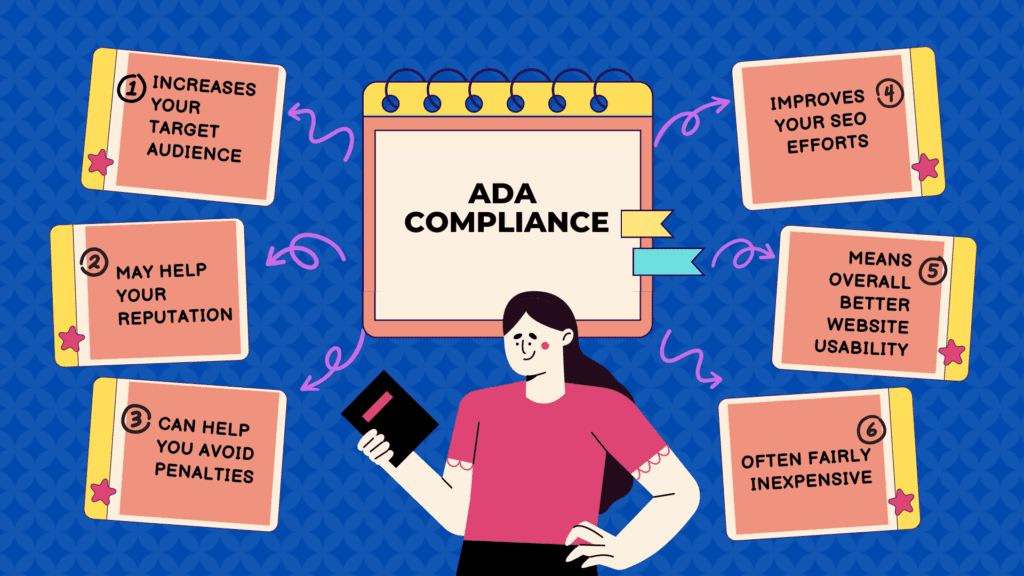
What is ADA Compliance?
The Americans with Disabilities Act (ADA) is a United States federal law passed in 1990 to prevent discrimination against people with disabilities. ADA compliance means giving people with disabilities equal access to public accommodations, and US courts have applied this idea to many business websites.
The ADA itself does not list technical rules for websites, so businesses usually follow WCAG as their website accessibility benchmark. For an Indian business, the ADA matters mainly if you sell products or services to customers in the United States.
Why Website Accessibility Matters for Digital Marketing
There are several reasons why accessibility matters for digital marketing. First, depending on where you operate and who you sell to, it can be a legal requirement. Second, it is simply the right thing to do.
By making your website accessible to individuals with disabilities, you are demonstrating your commitment to providing equal access and promoting inclusivity.
Good website accessibility also supports your SEO. Google has not said that accessibility is a direct ranking factor, but many accessibility fixes, such as clear headings, descriptive link text and image alt text, also help search engines understand your pages.
Furthermore, creating an accessible website can improve the overall user experience for all users. For example, individuals with visual impairments may use screen readers to navigate websites, while individuals with mobility impairments may use assistive technology to control their computers. By ensuring that your website is accessible to these users, you are providing a better user experience for everyone.
There is a plain business reason too. A shopper who cannot read your prices, fill in your checkout form or close a popup will simply leave, and you will never know why the sale was lost.
9 Key Elements of Website Accessibility
These are the elements to check first when you build or redesign a site. Each one is simple, and together they cover most of the problems real visitors run into.
1. Alternative Text for Images
Alternative text, also known as alt text, is a short description of an image that screen readers read aloud. Add meaningful alt text to every image that carries information, such as product photos and charts, and leave it empty only for purely decorative images.
2. Captions and Transcripts for Videos
Captions and transcripts are essential for people who are deaf or hard of hearing. They also help the many people who watch videos with the sound off, which makes them useful for reels and product demos too.
3. Keyboard Navigation
Keyboard navigation is essential for people who cannot use a mouse. Every menu, button, form field and popup on your site should work with the Tab, Enter and Escape keys alone.
4. Color Contrast
Color contrast affects whether people with low vision can read your text at all. WCAG level AA asks for a contrast ratio of at least 4.5 to 1 for normal body text, so light grey text on a white background usually fails.
5. Headings and Structure
Headings and structure are important for individuals who use screen readers to navigate websites. Use one main title per page, then H2 and H3 headings in a logical order that accurately describes the content below them.
6. Forms
Forms should be designed with accessibility in mind, including visible labels and clear instructions. Error messages should say what went wrong in words, not only with a red border, so that people who cannot see colour still know what to fix.
7. Website Accessibility Statement
A website accessibility statement tells visitors which standard you aim for, what you have done so far and how to report a problem. This statement can help build trust with potential customers and demonstrate your commitment to inclusivity.
8. Page Language and Readable Text
Set the correct page language so screen readers pronounce words properly, including on Hindi or regional language pages. Use a comfortable text size and make sure the layout does not break when a visitor zooms in to 200 percent.
9. Clear Links and Buttons
Write link text that says where it goes, such as “Download the price list”, instead of “click here”. Make buttons large enough to tap on a phone, and keep a visible focus outline so keyboard users can see where they are.
How to Check Website Accessibility on Your Site
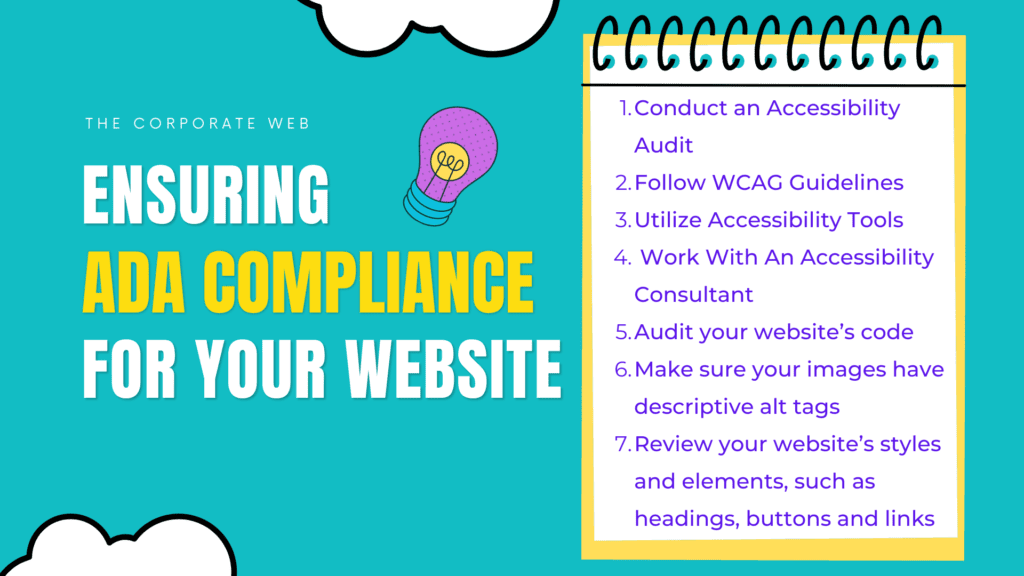
Improving website accessibility can seem like a daunting task, but you do not need to fix everything in one day. These steps work well for a small business site:
1. Conduct an Accessibility Audit
Start with a quick website accessibility audit. Free tools such as the Lighthouse panel in Chrome DevTools and the WAVE checker flag missing alt text, low contrast and empty links in a few minutes.
Then test by hand. Put the mouse away and move through the page with the Tab key only, then zoom the page to 200 percent and check that nothing overlaps or disappears.
2. Follow WCAG Guidelines
WCAG is organised around four principles: content must be perceivable, operable, understandable and robust. The current version is WCAG 2.2, and most businesses aim for level AA, which covers contrast, keyboard use, captions, labels and more.
3. Utilize Accessibility Tools
There are several tools available that can help you test website accessibility, including screen readers, color contrast analyzers, and keyboard testing tools. NVDA on Windows, VoiceOver on Apple devices and TalkBack on Android are all free screen readers you can try yourself.
If your site runs on WordPress, prefer a theme tagged “accessibility ready” in the official theme directory. Be careful with plugins that add heavy animations or hide content behind effects that keyboards cannot reach.

4. Work with an Accessibility Consultant
If your site is large, or you sell in markets with strict rules, consider working with a website accessibility consultant. They can test with real assistive technology and help you meet WCAG and, where it applies, ADA requirements.
5. Make It Part of Your Publishing Routine
Website accessibility is not a one time project. Add alt text, captions and proper headings every time you publish a blog post, a product page or a video, and recheck key pages after every theme or plugin update.
Website Accessibility Step by Step: Fixing One Product Page
Here is how a small shop could work through a single product page in about an hour, using only free tools.
Step 1: Run an Automatic Scan
Open the page in Chrome, run Lighthouse from DevTools, then run the WAVE browser extension on the same page. Note every error they list, such as images without alt text, form fields without labels and text with low contrast.
Step 2: Fix the Images
Write alt text for the product photos that tells the buyer what they need to know, for example the colour, the material and what is shown.
Step 3: Check the Buy Button and the Forms
Tab through the page and make sure you can choose a size, add the item to the cart and reach the checkout without a mouse. If the focus outline vanishes or a dropdown cannot be opened with the keyboard, ask your developer or theme support to fix it.
Step 4: Listen to the Page
Turn on NVDA, VoiceOver or TalkBack and let it read the page from the top. You will quickly hear problems such as a price read without its currency, buttons announced only as “button”, or the same vague link repeated many times.
Step 5: Record What You Changed
Keep a simple sheet with the page address, the issue, the fix and the date. This record becomes the base of your website accessibility statement and makes the next audit much faster.
Common Website Accessibility Mistakes to Avoid
Most problems on small business sites come from a handful of habits.
- Text inside images, such as offers or prices baked into a banner, which screen readers cannot read.
- Placeholder text used instead of a real label, which disappears as soon as someone starts typing.
- Popups and chat widgets that trap the keyboard or cannot be closed with the Escape key.
- Links that open new tabs without any warning, which can confuse people who use screen readers.
- Videos that play on their own and sliders that move with no pause button.
- Relying on an overlay widget alone, which can add display settings but does not repair problems in your code.
A Quick Website Accessibility Checklist
Use this short list before you launch a new page or campaign:
- Every informative image has alt text that describes it.
- Every video has captions, and long videos have a transcript.
- The whole page works with a keyboard, with a visible focus outline.
- Text meets a contrast ratio of at least 4.5 to 1.
- Headings follow a logical order, with no skipped levels.
- Every form field has a visible label and a clear error message.
- Link and button text explains what will happen.
- The page still works when zoomed to 200 percent on a phone.
Free Tools for Website Accessibility Testing
These free tools cover a solid first round of testing:
- Lighthouse: built into Chrome DevTools, it gives a quick accessibility score and a list of failed checks.
- WAVE by WebAIM: a free browser extension that marks errors directly on the page.
- axe DevTools: a free browser extension from Deque with clear explanations of each issue it finds.
- A contrast checker: such as the free one from WebAIM, to test your text and background colours.
- Screen readers: NVDA for Windows, VoiceOver on Mac and iPhone, and TalkBack on Android.
Automatic tools find only part of the problems on a page. Always pair them with the keyboard and screen reader tests described above.
A 30 Day Website Accessibility Plan for Beginners
You do not need a big budget to make steady progress, only a little time each week.
Week 1: Measure Where You Stand
Pick your five most important pages, such as the home page, a top product, the contact page, the cart and the checkout. Run the free scans on each and list every problem in one sheet.
Week 2: Fix Images, Headings and Links
Add missing alt text, correct the heading levels and rewrite vague link text like “click here”.
Week 3: Fix Forms, Contrast and Keyboard Access
Give every form field a visible label, darken text that fails the contrast check and test the keyboard path through checkout.
Week 4: Publish and Plan Ahead
Write a short website accessibility statement with a contact for feedback, then add accessibility checks to your publishing routine.
Website Accessibility Notes for Indian Businesses
Many Indian sites serve visitors who read in more than one language. If you publish Hindi or regional language pages, set the right language for each page and use real text instead of text inside images, so that screen readers and translation tools can work with it.
Many shoppers in India browse on budget phones and patchy mobile data. Light pages, large tap targets and text that reflows on small screens help them as much as they help users with disabilities.
For general awareness, the Guidelines for Indian Government Websites (GIGW) show how government sites in India approach website accessibility, and they build on WCAG. They are written for government websites, but they are a useful local reference when you plan your own.
More Questions People Ask
Does Website Accessibility Slow Down My Site?
No, most fixes are small changes to text and code, such as alt text, labels and headings. Many of them make pages cleaner, not heavier.
Can I Make My WordPress Site Accessible Without a Developer?
You can handle a lot yourself, because alt text, headings, link text, captions and colour choices are all set in the editor. Theme level problems, such as a menu that keyboards cannot open, usually need a developer or a better theme.
How Often Should I Check Website Accessibility?
Check your key pages whenever you change the theme, add a plugin or launch a new design. A short monthly look at your top pages is a sensible habit for a small business.
Conclusion
Website accessibility is an important consideration for businesses that operate online. By making your site usable for people with disabilities, you serve more customers and show a real commitment to equal access. It also supports your SEO and gives a better experience to every visitor.
Start small: fix alt text, contrast and keyboard access this week, then work through the rest of the list. For more ideas on promoting an inclusive brand, see our Creative Marketing Tactics guide, and read our comparison of WordPress SEO plugins for the technical side of your site.
Read More: The Ultimate Guide To Social Media Advertising For Small Businesses
Frequently Asked Questions
What is website accessibility?
It is the practice of designing a site so that everyone, including people with visual, hearing, motor or cognitive disabilities, can perceive, understand and use it.
Is website accessibility a legal requirement in India?
The Rights of Persons with Disabilities Act 2016 supports equal access to information and communication technology, and government websites follow guidelines based on WCAG. Private businesses should treat WCAG as the practical standard.
What is ADA compliance?
The ADA is a United States law. ADA compliance means giving people with disabilities equal access, and for websites businesses usually follow WCAG. It matters for Indian businesses that sell to US customers.
What are the key elements to fix first?
Alt text for images, captions for videos, keyboard navigation, colour contrast, clear headings, labelled forms, an accessibility statement, the correct page language and clear link text.
How can I test my site for free?
Run the Lighthouse panel in Chrome DevTools or the WAVE checker, then test by hand with only the keyboard and with the page zoomed to 200 percent.
Read More: How to Make Your Website ADA Compliant